Summarize this article in:


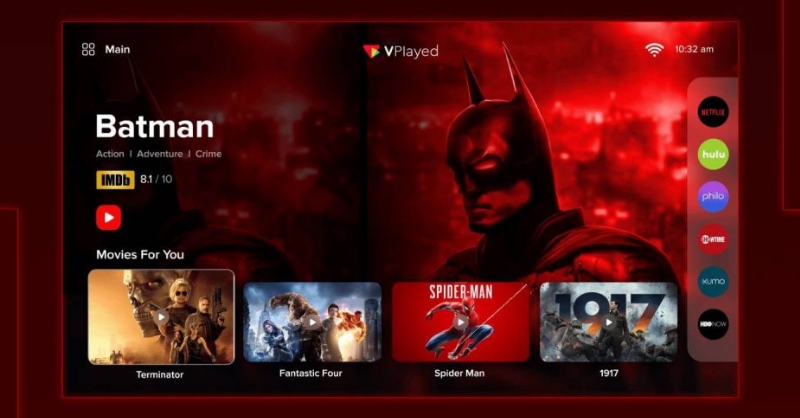
Are you planning to create an online TV channel for your business? Check out the complete guide on how to start online TV channel on the Internet with grow of 10x revenue.
- An online TV channel is an internet-based streaming platform that provides live or on-demand video content across various devices.
- The rise in OTT consumption, flexible monetization methods, and global reach have made online TV channels popular and profitable.
- In this blog, we discuss the step-by-step process to launch an online TV channel, necessary features, how to monetize it, and the cost associated with it.
While millions of people doom-scroll, the smart ones are learning to create an online TV channel and monetize views through modern OTT video platforms. People like to be in control of their entertainment, and online TV gives them that.
In fact, recent OTT statistics revealed that the streaming market is projected to reach $551.19 billion by 2030, up from the current $264.85 billion, with a CAGR of 20%. The good news is that there is plenty of room, even if you are just looking into how to start an online TV channel.
To compete with top video streaming services, you need a solid plan. This blog will walk you through the steps of how to start a TV network of your own, what features to include, the cost involved, and how to make money out of it.
7 Steps to Launching Your Online TV Channel
| Step Name | What the step is about |
| 1. Define Niche & Audience | Determining the type of content your channel will provide (such as sports or education) and exactly who will wish to see it |
| 2. Plan Content Strategy | Making a plan and a 90-day calendar for your shows so you always have something new to show people |
| 3. Choose a Platform | Selecting the technology or service (OTT platform) on which you will upload your videos and stream them to various devices |
| 4. Set Up the Interface | Creating the appearance of the channel (your logo, colors, etc.) and ensuring that the “Play” buttons and menus are easy to use |
| 5. Secure Your Content | Adding a digital lock (DRM) to your videos to stop people from taking or sharing your material without permission. |
| 6. Set Up Payments | Deciding on a monetization model, such as a monthly subscription, ads, or per video |
| 7. Launch & Distribute | Testing it to ensure that it doesn’t crash, and then publishing it to the App Stores and to the web |
- Fully Customizable
- Lifetime Ownership
- On-Premise/On-Cloud
- 100% White-label
- Zero Revenue Share
- Hire Developers
How to Start an Online TV Channel? Step-by-Step Breakdown
The steps to an online TV channel involve finding a niche, planning content, choosing a platform, designing the interface, acquiring the media, establishing monetization, and making the channel active. Let’s take a look at the steps in detail.
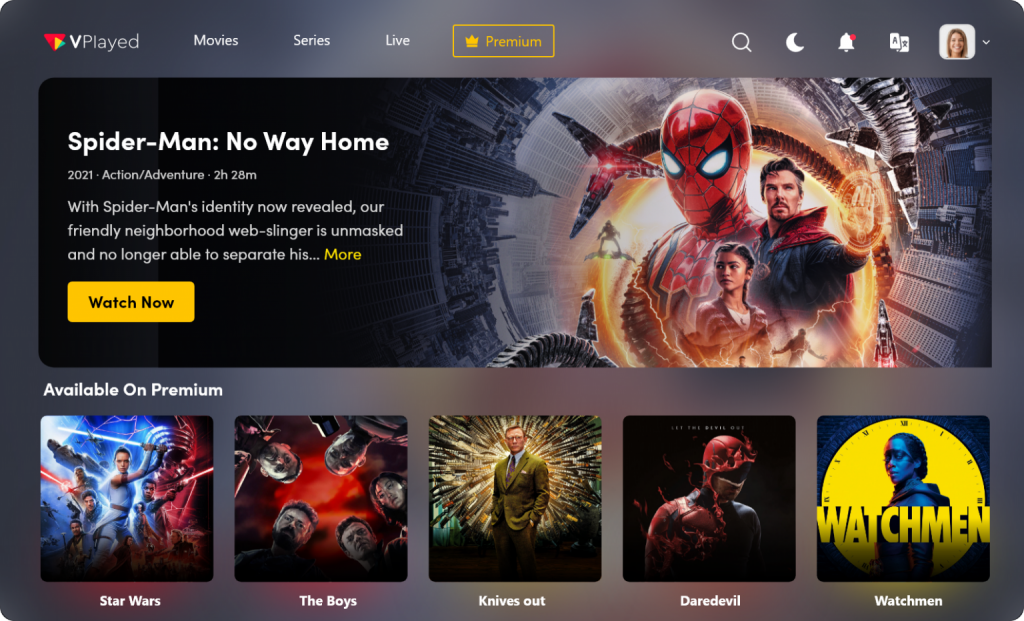
Step 1: Define Your Channel Niche and Audience
The first step to start an online TV channel is to determine the niche that you will cater to and the kind of audience you will target. A well-defined niche helps you to generate focused content to stand out and also win the interest of the viewers in a saturated streaming market.
Action Items:
- Determine the type of content (sports, entertainment, education, news, etc.).
- Carry out market research to determine gaps in the content that are high in demand and low in competition.
- Develop a comprehensive viewer profile with demographics, viewing behaviours, and interests.
- Choose your channel’s unique value proposition.
Deliverables:
- An official Niche Definition Statement
- An official target audience profile with specific characteristics
- A list of 3-5 competitor channels to use as benchmarks
Step 2: Plan Your Content Strategy
A good content plan helps you stay on track and maintain audience engagement when your online television business grows. It defines the type of content that you publish, the frequency of publication, and how well it meets the expectations of the audience and its financial needs.
Action items:
- Determine what your program will be by setting out Content Pillars on its themes or genres.
- Select content formats (live stream, scheduled shows, or a 24/7 linear channel, or on-demand videos) that fit your long-term programming goals.
- Create a content calendar of 3-6 months of key themes and topics
- Define your episode or show formats, length, and frequency of publication
Deliverables:
- A content calendar covering 90 days
- The content ideas for the first few episodes
- A checklist of equipment, scripting, and shooting requirements
Step 3: Choose an OTT Platform or Streaming Infrastructure
The OTT platform that you choose dictates how your channel will deliver video and video library, and how it will respond to scaling needs as your audience grows. A right OTT platform or streaming infrastructure will guarantee high reliability of playbacks, secure delivery, and future monetization and development.
Action items:
- Compare the video hosting alternatives or OTT platforms based on their features and scaling capabilities
- Compare features like security measures, monetization models, and analytics to easily create an online TV channel that scales as your audience grows.
- Choose between an off-the-shelf OTT or a custom-built streaming infrastructure
- Check whether it can be used in various devices such as mobile phones, smart televisions, and web platforms.
Deliverables:
- A shortlist of 2-3 sites that satisfy your technical and financial needs
- A comparison chart that displays how each platform suits your needs
- Platform setup conditions and implementation schedule
Step 4: Set Up Your Online TV Channel Interface
After choosing one of the OTT platforms, begin building the interface – the space that viewers will actually experience. If the chosen OTT video solution has white-label capabilities, you can create your own TV channel with full freedom to customize everything. Make the interface simple and easy to use so that they can engage with it and discover more of your content.
Action items:
- Name your online TV channel, create a logo, and a color theme to reflect your brand identity and niche
- Customize your video player for intuitive controls
- Implement user authentication procedures such as registration, login, password recovery, and email verification
- Make sure that navigation among all pages and devices works fine
Deliverables:
- A front-end architecture of the channel in the form of a Wireframe or Sitemap
- A Brand Asset Pack (logos, splash screens, and favicon)
- A video content library with a playlist organized and arranged in place.
Step 5: Implement Content Security and DRM
Once the UI part is done, it’s time to get content security in place before going any further. Use Digital Rights Management (DRM) to avoid unauthorized access and redistribution of content. This will ensure your video library is encrypted and compliant with the law on all devices and platforms.
Action items:
- Select the appropriate DRM technologies (Google Widevine, Apple FairPlay, Microsoft PlayReady)
- Use geo-blocking to regulate the content availability by region.
- Make sure that you have configured tokenized URL authentication to prohibit unauthorized sharing and hot linking
- Apply stream encryption protocols such as AES or HLS encryption
Deliverables:
- A final report of DRM compliance and security audit
- Well-organized system of controlling piracy with a clear removal procedure
- A finalized list of approved environments where your video player is allowed to embed and play
Step 6: Configure Monetization Models
To run a successful TV network, you must have monetization models set in place to get paid for your valuable content. Online TV channels offer flexible revenue options, unlike traditional broadcasting. You can choose a passive advertising model or a premium subscription model.
Action items:
- Select your primary monetization model: SVOD, AVOD, or a dedicated FAST TV Channel to generate passive revenue through ads.
- You can also select a hybrid monetization model, if your platform allows, to attract different audience segments
- Integrate payment gateways that support international currency
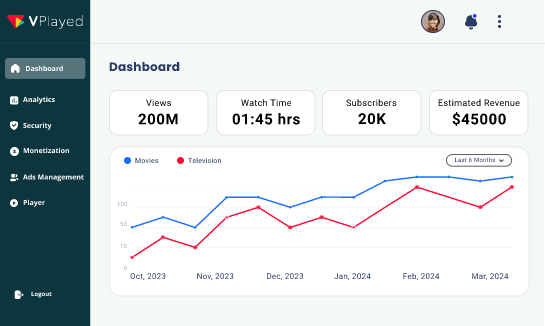
- Configure the analytic dashboard to track revenue, subscriber growth, and viewer behavior
Deliverables:
- Structured pricing and subscription plans
- Access control list of free and premium content
- A Merchant Account Integration for live transactions
Step 7: Launch and Distribute Your Channel
The last step is going live and letting the right people know you exist. Setting up an online TV station relies on a global distributed Content Delivery Network (CDN) to reduce latency for a buffer-free experience.
Action Items:
- Run a “Stress Test” on your servers to see if your online TV channel can handle a high volume of concurrent viewers
- Submit your TV channel app to the Apple App Store, Google Play, and Roku Channel Store
- Post-launch day content, such as trailers or premiere episodes
- Liaise with any launch partners or affiliates that will endorse your channel to their audiences.
Deliverables:
- An active site with effective call to actions
- SEO optimized channel description, metadata, and tags on all distribution points
- A fully published and available online TV channel
Also Read: How To Create Android TV App?
Key Features of a Successful Online TV Channel
Effective online TV channel features are the following: Secure streaming, monetization, analytics, content management, and multi-device support.
Here’s a deeper look at the necessary features.
Multi-device Streaming Support
Multi-device streaming enables viewers to view content without any hitches on their smartphones, tablets, smart TVs, laptops, and web browsers.
This makes sure that audiences can view videos anytime and anywhere without being limited by devices. It is a significant attribute of platforms that create online TV channels to offer services to global consumers with different viewing habits and screen applications.
Video Content Management System
A video content management system (CMS) is used to help channel owners in arranging, uploading, categorizing, and publishing video resources effectively.
It enables administrators to maintain large video libraries, schedule publishing, and update metadata. This centralized framework enables flawless operations and eases the handling of increased video collections in an online television channel.
Adaptive Bitrate Streaming (HLS/DASH)
The adaptive bitrate streaming automatically regulates the quality of video depending on the internet speed and the capabilities of the viewer’s device.
HLS and DASH technologies guarantee a seamless playback without buffering or latency. The feature is useful in ensuring a uniform viewing experience under varying network conditions and enhances user satisfaction.
Secure Video Delivery and DRM
Secure video delivery means that the premium content will not face the threat of being accessed and pirated. DRM technologies encrypt video streams and control access, downloading, or sharing of content.
This is particularly in the case of the channels that sell licensed movies or exclusive shows, or those that sell paid subscriptions.
Built-in Monetization Tools
The channels have monetization tools that enable the owners to generate revenue through various models like subscriptions, advertisements, or pay-per-view access.
These technologies combine payment gateways, advertisement servers, and billing. It enables creators and media firms to transform their video content into a self-sustaining stream of revenue.
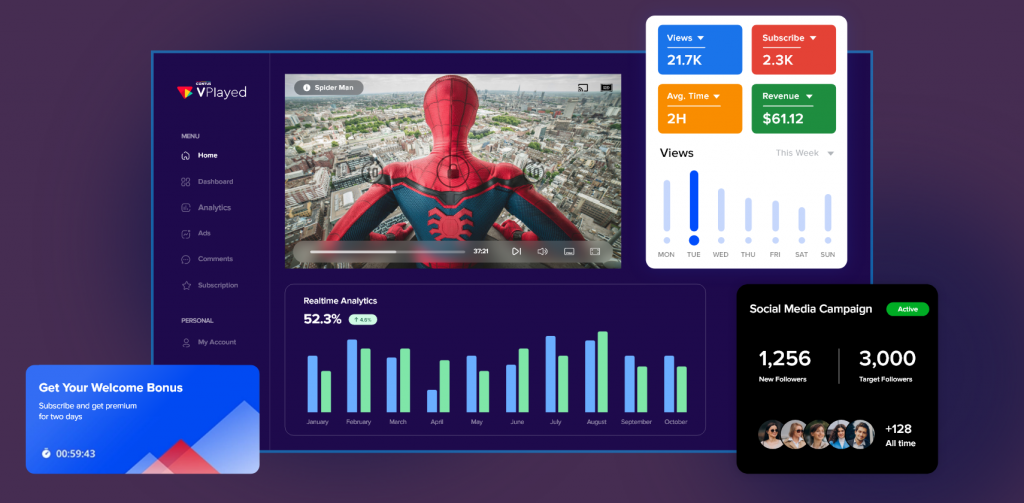
Video Analytics and Viewer Insights
Video analytics applications track viewer behaviors, including watch time, engagement rate, the points at which viewers drop off, and viewer demographics.
The insights will assist the channel owners to understand the preferences of the viewers so that they can maximize the content strategies and better programming choices to increase the audience engagement and retention.


Benefits of Creating Online TV channel on the Internet
So why is it constructive to create an online TV channel? Millennials are more adaptable to the latest technologies and viewing patterns.
This is the prime reason to build and curate your own web TV channel to enthrall the viewers in the digital arena.
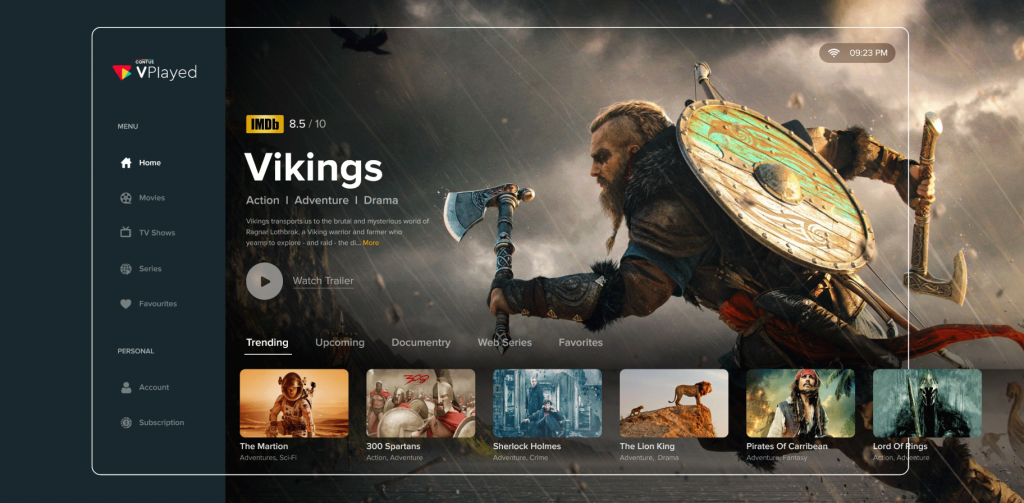
Now, let’s explore the benefits involved in making your own internet TV channel.
✔️Viewing Experience at Your Convenience
Create a streaming services like Netflix, Amazon, etc are much clearer to deliver videos at convenient time frames and flexible view space for their audiences. It is mainly a user-friendly viewing experience.
✔️Reliability is the key
While you plan on how to broadcast your TV station, make some research to experience a reliability check for the complete ownership of your videos based on the requirements of your viewers and monetizing the concerned package via your best online video platforms.
✔️Quicker results with Smart Connectivity
Entertainment streaming is solely dependent on the high-speed transmission of internet connectivity. The primary aspect is to create online TV channel with an HD quality video streaming output at a higher speed and have it compatible across all the world.
✔️Compatible streaming across multiple devices
Stream any audio or video content across the world in a compatible way through a wide range of devices such as PC, Tablet, Smart TVs like Apple, Amazon TV, Android TV apps, and gaming consoles, etc.
✔️Wide range of varied viewing choices
While building an internet TV station, create the online tv channel with the best shows, movies, entertaining VODs, and much more varieties to have your viewers hooked.
✔️Profitability depends on Affordability
The number of target audiences and the ROIs are correlated to each other. The video content will garner your channel an increased base of viewers and promises a guaranteed client list.
Things to Consider Before Starting an Online TV Channel
With all the above insights, brace yourself to further explore the key points to have in mind for making your internet TV channel.
👉1. Start with a clear market definition
Firstly, have a clear identification of your target audience to decode their wavelength. It is mandatory to understand the type of content in their wishlist and generate such content for them.
Make your genre more usable and aim at the industries like sports, fitness, eLearning, religion, and so on to make your streaming more relatable.
With the help of a robust video CMS software, you can organize, categorize, and deliver this content efficiently to match diverse audience expectations.
👉2. Create a check-list on content licensing
Check on the legal requirements before planning to broadcast your own TV station and understand the guidelines, laws, or scrutinies for the local streaming to avoid any penalties or lawsuits.
In simpler terms, pick a platform that makes streaming content under rightful publishing permissions.
👉3. Pick the right monetization model
Validate your content with multiple monetization models for increased ROIs and seamlessly make money out of your TV channel.
There are monetization models like TVOD, AVOD, SVOD platform, Coupons & Promotions, etc to maximize the revenue prospects.
Read Also: How does Netflix make money?
👉4. Integrate your TV channel with secure hosting
Always ensure integration of secured streaming of content while planning to build your online TV channel.
Secondly, make use of high-quality video players into your video hosting like Apple TV Apps, etc
👉5. Seamless content delivery network support
With the support of seamless CDN, you can plan on multicast streaming in systematic bandwidth and exhibition of more aggressive content performance.
Additionally, avoid streaming delays for a hassle-free viewing experience and progressive global streaming.
👉6. Have a comfortable and universal multi-device support
Give your streaming TV channel the power of being accessible and enriched streaming across all platforms as well as devices.
With universal multi-device support, your viewers can set up flexible parameters for viewing and thus end up growing your TV channel’s fame.
With all the insights on creating an online TV channel, you can equip yourself with clarity on the major aspects of building your own TV channel.
How to Make Money From Online TV Channels?
After creating online TV channel content and getting viewers, the next question is how to convert this attention into sustainable income.
The following are the best strategies for monetizing your channel, depending on your content and its size.
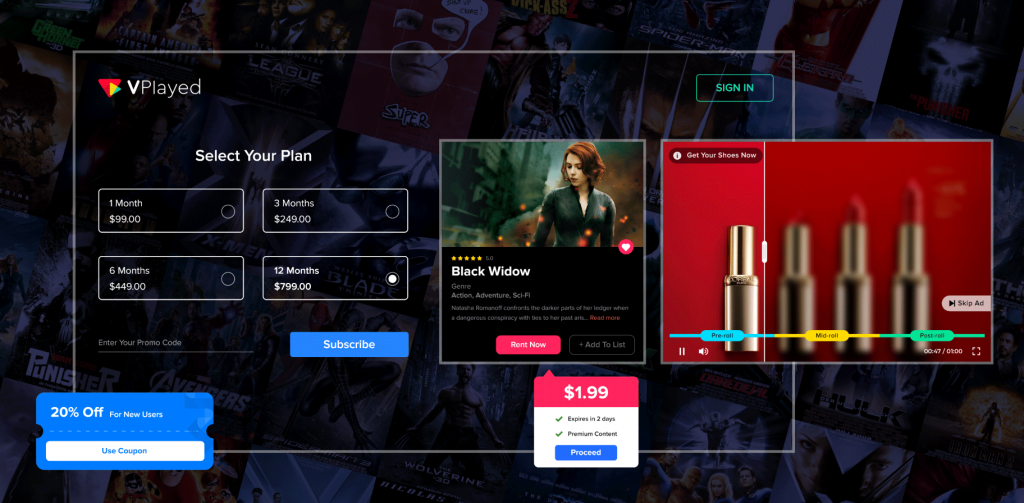
✨Subscription Video on Demand (SVOD)
Get your viewers to pay a subscription fee to view your library. This is ideal when dealing with channels that have exclusive, premium content that audiences cannot get elsewhere, like an expert documentary, workout courses, or educational shows.
✨Transactional-based model (TVOD)
Offer standalone pieces of content on a pay-per-view basis. This works best with special events, exclusive interviews, or high-production-value episodes that viewers would be happy to pay for once instead of subscribing to watch.
✨Advertising-supported model (AVOD)
Provide your content at no cost and earn money with advertisements placed before, in between, or after videos. This model is scaled with the viewership – the more eyes on the content, the more ad impressions and income from the platforms.
✨FAST Channels (Free Ad-Supported Streaming TV)
Run an advertising-supported linear streaming fast channel TV with a scheduled timetable. This model combines the TV experience with the scale of digital distribution. It monetizes viewers who prefer lean-back consumption.
✨Hybrid Models
Combine multiple approaches to maximize revenue. Offer a free tier with ads while providing an ad-free premium subscription. Or make your library free but charge for early access to new episodes or exclusive live events.
✨ Events and Merchandise
Expand your channel brand into tangible merchandise or live events. Sell products under your channel branding, or conduct ticketed live events, workshops, or meetups that provide greater audience engagement and earn money.
✨Sponsorships and Brand Partnerships
Collaborate with the brands that are related to your niche and produce sponsored content or integrated advertising. This is especially effective when dealing with channels that have committed and active viewers in certain verticals such as cooking, technology, or exercise.
How Much Does it Cost to Create an Online TV Channel?
The cost to create an online TV channel with a professional OTT solution like VPlayed can range between $30,000 and $50,000+, depending on the level of customization, monetization features, app support, and deployment requirements.
SaaP-based OTT platforms enable businesses to get up and running faster and provide pre-built streaming functionality, security, and revenue capabilities.
The cost may differ from one business to another when they have to build their own video streaming server infrastructure, from hosting to CDN integration, app development to DRM security, bandwidth usage, and content production needs, etc.
Other expenses like marketing, storage, and maintenance are also factored into the overall investment required to scale a successful online TV channel.
To Sum Up,
Now that we have seen how to start a TV network, from determining your niche and setting up your interface and security measures to figuring out monetization models that will work for you. The streaming market is not slowing down, nor should you.
Building an online TV channel no longer belongs to just media houses with big budgets. It is possible for anyone holding valuable content to create a sustainable broadcasting business. You just need a specified audience with the right OTT channel and a systematic approach.
Platforms like VPlayed provide the infrastructure to become a fully operational online TV channel without starting from scratch.
The tools are readily available. What’s left is execution.
- Request Demo Book a Live, Personalized Demo
- Contact Sales Reach Out to Our OTT Experts
Frequently Asked Questions(FAQ)
1. How To Create An Online TV Channel?
Starting your own TV channel on the Internet begins while launching it with unique services for free and collecting revenue by advertising. Then, you can have video download sales from your channel. Later, you can introduce other services with a fee that can vary in many factors.
2. How Can I Monetize Online TV Channels And Make Money?
The fact goes undeniable that when you create your online TV channels gives your business credibility & status, as only a few people can boast of having their own network. You can capitalize content with wide options to generate sustainable revenue like SVOD, monetizing through a suite of AVOD commercials, TVOD model providing users with media content on rentals or own titles, etc.
3. What Are The Essential Features Needed To Create Online TV Channel?
When you research on how to actually start an online TV channel then the integral architecture comes into play. Some of the key equipment like middleware, Akamai CDNs, DRMs like Google Widevine, video CMS, analytical tools are primarily required apart from platform integration facilities & branding content services.
4. How Much Does It Cost To Create An Online TV Channel?
Before getting into the cost factors of starting an online TV channel, there are a few factors that are required to analyze why to launch it in the first place. The crucial goals of your channel will need to be considered. You will also need to research various models for designing your channel, making sure of prospective target approaches, & ensure what’s the quickest way to reach them before deciding a quote to progress further.
5. What Is an Online TV Channel?
An online TV channel is a digital television channel that is broadcast over the internet rather than cable or satellite. It enables live streaming or on-demand videos on all devices such as tablets, smart TVs, laptops, and smartphones. Common examples are Netflix, Amazon Prime Video, Tubi, and Roku Channel.

Blogger & OTT Expert at VPlayed. Interested in digging deep into video streaming media tools, blog, discuss and share views on the legal OTT solution' & latest technologies tips, and tricks. Also passionate about photography loves to capture the pure essence of life.