Summarize this article in:


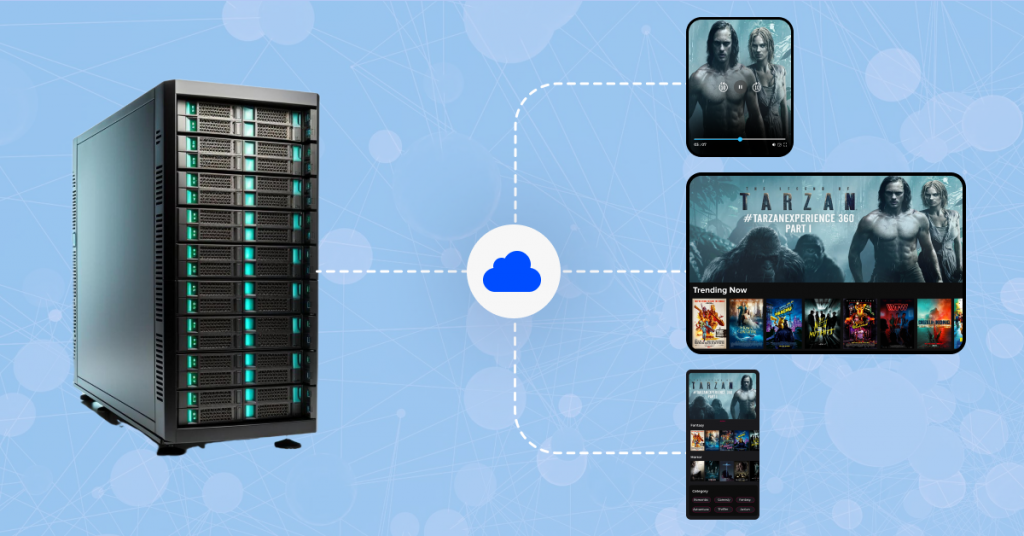
In this blog, you will learn what a video streaming server is and the 6 key steps to building a video streaming server. It also discusses the key features to consider and how VPlayed makes deployment and management easier.
This is an all-in-one guide on video streaming servers, from the basics up to how to create your own video streaming infrastructure. The demand for video is exploding worldwide, and businesses need full control of their media delivery to be completely secure and provide an uninterrupted user experience.
However, creating and maintaining a dedicated streaming server requires a lot of time, technical expertise, and infrastructure. A more pragmatic solution is to work with a Vendor specialized in enterprise-class reliability, like VPlayed, which means you won’t have to manage all of the complexities of operation.
For those who would like to use a powerful streaming server without having to build it from scratch, VPlayed provides an end-to-end solution that includes DRM, monetization, and analytics. You can request a free demo to explore the platform.
- Fully Customizable
- Lifetime Ownership
- On-Premise/On-Cloud
- 100% White-label
- Zero Revenue Share
- Hire Developers
What is a Video Streaming Server?
A video streaming server is a specialized server designed to store, process, and deliver videos to viewers over the Internet. It is compatible with multiple protocols, including HLS, MPEG-DASH, RTMP, and WebRTC, to facilitate live streaming or on-demand streaming on desktops, smart TVs, and mobile devices.

Video streaming is different from traditional file downloads, as it is based on more advanced technologies such as codecs, adaptive bitrate streaming, and broadcast-grade delivery to encode, transmit, and stream a high-quality video in real time.
The process involves compressing video into a digital format and transmitting it as a continuous data stream, so viewers can begin watching immediately without waiting for the entire file to be downloaded.
How Does a Video Streaming Server Work?
A video streaming server is software that stores, manages, processes, and streams high-quality video content over the Internet. The server’s primary objective is to enhance the delivery of video content, making sure that it can be watched correctly on various gadgets, networks, and platforms. If they are not able to get this special infrastructure, the viewers are likely to have trouble with buffering, incompatibility, and playback quality.
The main working principles of the system are to bridge the technical gap between the input and output formats. In other words, the source format of the live stream is often not appropriate for end-user playback of the live stream on a commercial screen. To solve this, the video streaming server receives the video in one format and automatically converts the input stream to the format that exactly fits the requirements of the target devices and various settings.
Think of a real-life scenario with an IP camera that is usually employed in a security monitoring system. The camera is able to record and stream an RTSP stream. However, RTSP is not a common video format for video playback on popular devices like mobile phones or laptops in general, and therefore, the server steps in.
It provides an instant, smooth, and consistent video streaming experience anywhere by transforming this particular input format into highly compatible, broadcast-ready output formats like WebRTC, HLS, and DASH.
Who Needs a Video Streaming Server?
Any organization that wants to broadcast high-end live or on-demand content to multiple devices should definitely have a video streaming server. You can create your own infrastructure, or work with an enterprise video CMS vendor (like VPlayed), which can provide a more secure and scalable solution.
You need a dedicated video streaming server if you are an enterprise across these sectors:
- Content Creators & Media Houses: Looking to break free from third-party platform algorithms and directly monetize content.
- Educational Institutions: Seamlessly delivering high-quality e-learning modules, lectures, and virtual classrooms to worldwide students.
- Religious Organizations: Streaming live worship and community events to a wider, more remote audience.
- Corporate Enterprises: Conducting safe internal trainings, town-halls, and product launches.
- Fitness & Wellness Brands: Streaming live fitness and on-demand training directly to a subscriber’s viewing devices.
How to Build a Video Streaming Server? 6 Step Guide
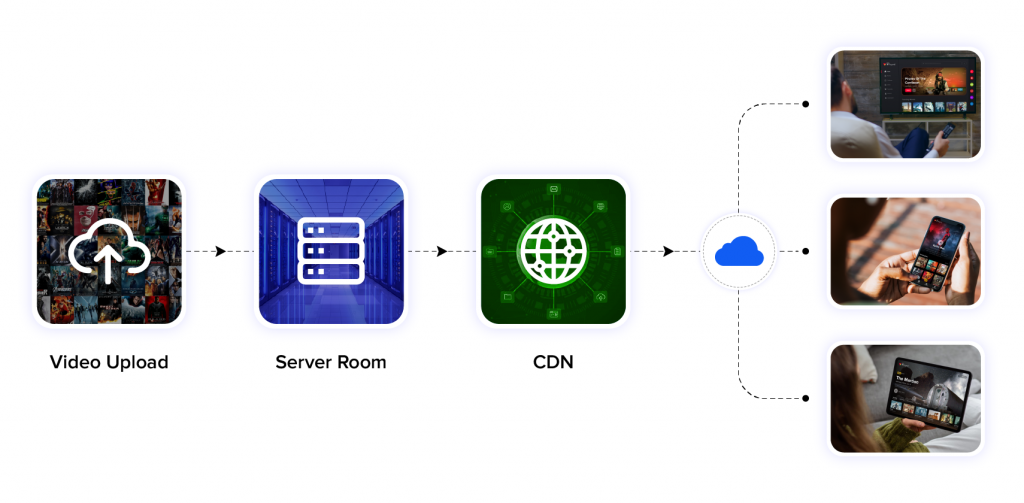
With video streaming making up over 80% of internet traffic today, setting up your own video streaming server gives you full control over how your content is hosted, distributed and monetized. Let us go through every step of building a video streaming server from scratch.
- Set Up Your Server Environment
- Install Video Streaming Software
- Enable Transcoding and Adaptive Bitrate Streaming
- Configure a Content Delivery Network (CDN)
- Integrate a Media Player with Protocol Support
- Secure Your Streams and Optimize Performance
1. Set Up Your Server Environment
A solid streaming experience starts with a strong backend. The first thing you need is a high-performance server. Either, go with:
- A dedicated physical server hosted on-premise, or
- A cloud-based server using AWS EC2, DigitalOcean Droplets, Google Cloud, or Linode.
For most custom deployments, Linux (preferably Ubuntu) is the way to go due to its flexibility, performance and extensive community support.
Once your server is up, install Nginx (a lightweight web server) with the RTMP module, which will allow your server to accept live video streams using the Real-Time Messaging Protocol.
Then, compile Nginx with the RTMP module. This setup gives you a server capable of ingesting live streams.
2. Install Video Streaming Software
Your streaming software acts as the bridge between your camera or media source and your server. OBS Studio (Open Broadcaster Software) is one of the most widely used options.
- Available on Windows, macOS, and Linux.
- Completely free and open-source.
Once installed, configure OBS to broadcast using your server’s RTMP address (e.g., rtmp://yourserver.com/live) and a stream key. This links your local broadcasting setup to your backend server, enabling real-time transmission.
If you are building a more advanced system, you can also explore other tools like XSplit, Wirecast, or vMix depending on your use case.
3. Enable Transcoding and Adaptive Bitrate Streaming
Streaming high-quality video to a global audience demands more than one bitrate. Transcoding allows your video to be converted into multiple resolutions (1080p, 720p, 480p), making it device- and bandwidth-friendly.
Use FFmpeg, a powerful open-source tool that can:
- Create adaptive bitrate streams using HLS (HTTP Live Streaming).
- Convert live or recorded video into multiple formats.
4. Configure a Content Delivery Network (CDN)
Without a CDN, your server might collapse under the weight of simultaneous requests. CDNs distribute your content across global edge locations, thereby reducing latency and buffering.
You have two options:
- Use a commercial CDN like Cloudflare, Akamai, or Fastly.
- Set up a custom CDN with multiple edge nodes and geo-routing (advanced).
A good CDN reduces bandwidth consumption on your origin server, optimizes video loading speed, and guarantees a reliable viewing experience globally.
5. Integrate a Media Player with Protocol Support
You need a media player that fetches your content and delivers it to end-users without glitches. Your player should support HLS (for iOS and modern browsers) and optionally MPEG-DASH (for broader device coverage).
Recommended options:
- Video.js – Open-source, customizable, and easy to embed.
- Shaka Player – Google-backed, supports DRM and adaptive streaming.
- VPlayed’s media player – Commercial, white-label streaming, and includes built-in analytics.
For smooth integration, your player should support captions, adaptive streaming, and event tracking. Embedding is as simple as using an HTML5 <video> tag or JavaScript library snippet.
6. Secure Your Streams and Optimize Performance
This is where many DIY streaming setups fall short. Without security and uptime measures, your video streaming server becomes an easy target for piracy and performance failures.
Secure your streaming server with:
- HTTPS (SSL certificates) for encrypted content delivery.
- Token-based authentication to prevent unauthorized access.
- Geo-blocking and domain whitelisting to limit playback.
- DRM solutions (e.g., Widevine, FairPlay) for premium content.
Performance-wise, implement:
- Backup power and failover servers to avoid outages.
- Server-side monitoring tools (like Prometheus or Grafana).
- Real-time alerting systems for traffic spikes or downtime.


What are the Must have Features of a Video Streaming Server?
Before you build a video streaming server, you should know what makes it a worth investment in 2026. Below are the must-haves for a video streaming server:
1. Scalability:
Your video streaming server must be able to grow with your audience. Whether you have 1,000 active users or a million, the server should scale smoothly to support a 24/7 live linear channel for your viewers.
Auto-scaling cloud streaming environments, containerization with Kubernetes, and horizontal load balancing are key to handling large spikes in viewership, especially during live events. A scalable server architecture means zero downtime even under extreme traffic.
2. High-Quality Video and Audio
A video streaming server must support high resolution video formats like 4K UHD, Full HD, HDR and advanced audio codecs like AAC, Dolby Digital or Opus. These are non-negotiable if you want your viewers to have a cinema like experience from any device.
Support for modern video compression like H.264, H.265 (HEVC) or even AV1 means efficient bandwidth usage without sacrificing visual quality.
3. Adaptive Streaming:
When it comes to content delivery, adaptive bitrate streaming is a must-have. CDN adjusts video quality based on a user’s network conditions and device capabilities.
This means your viewers get buffer free playback whether they are on Wi-Fi, 5G or a flaky 4G signal. To do adaptive streaming right, your video streaming server must support HLS, DASH or CMAF packaging.
4. Built-in Video Transcoding:
Video transcoding ensures compatibility with a wide variety of devices and platforms by converting video into multiple resolutions and formats. This is especially necessary when your content library includes legacy formats or high-resolution master files.
Your video streaming server should offer automatic transcoding pipelines; ideally GPU-accelerated to convert raw video into 1080p, 720p, 480p, and more.
5. High-End Security
A secure media streaming server must include DRM (like Widevine, FairPlay, and PlayReady), tokenized streaming URLs, and AES-256 encryption to deter piracy.
Additional security layers such as IP whitelisting, geo-blocking, session-based watermarking, and firewalls offer enhanced protection against unauthorized access. For enterprise video management, integrate IAM (Identity Access Management) systems to manage roles and permissions.
6. CDN Integration:
Your video streaming server should offer CDN integration to cache content closer to the end-user. Third-party CDNs like Cloudflare, Akamai, or CloudFront can be plugged in using API integrations.
If you are building your own edge network, ensure proper DNS-based geo-routing and cache control headers to manage content efficiently across multiple locations.
7. Advanced Analytics Dashboard:
Your streaming video server should have an in-built analytics module that tracks metrics like watch time, viewer drop-off points, top-performing content, and device usage.
Real-time analytics help in making quick content decisions, while historical data offers insights into user preferences and trends.
8. Multi-Device Compatibility
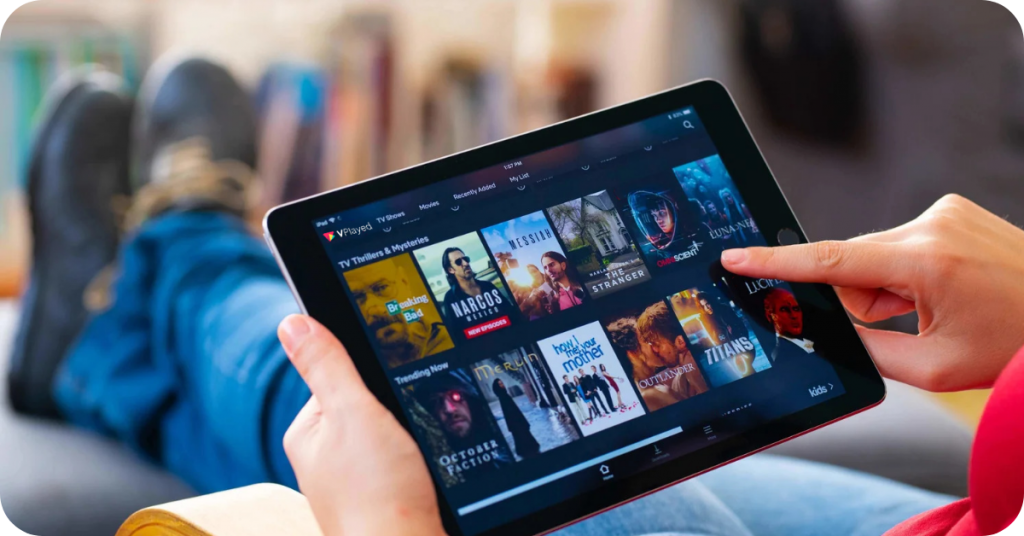
A modern video streaming server should support playback on smartphones, tablets, desktops, gaming consoles and smart TVs. This gives you maximum reach and higher viewer retention.
Make sure the server outputs are compatible with HLS/DASH protocols, HTML5 players, native SDKs and casting protocols like Chromecast and AirPlay.
9. 24/7 Technical Support:
A good streaming video server provider should offer 24/7 support with SLAs, real-time monitoring and proactive alerting.
Support teams should help with bug fixes, feature upgrades and maintenance. Ticketing systems, live chat, knowledge bases and dedicated success managers ensure your platform is up and running even during critical broadcasts.
10. Customizability:
Your video streaming server should be fully customizable; from logo placement and player themes to UI layouts and feature modules.
This means your platform feels like yours. Customization also allows you to cater to niche markets, tweak features and interface according to audience, language and monetization needs.
How VPlayed Can Help You Build a Powerful Video Streaming Server?
Creating a streaming server on your own is fairly complicated. This friction is solved with VPlayed’s white-labeled end-to-end deployment for full platform ownership.
- On-Premise & Cloud Deployment Flexibility: VPlayed is flexible compared to third-party architectures, providing total deployment flexibility. Reduce infrastructure overheads in the long-term and optimize server performance by hosting all your media infrastructure on-premise or a scalable multi-cloud environment.
- Studio-Grade Content Protection: High-end assets are protected natively. The platform also features multiple DRM protocols (Widevine, FairPlay, and PlayReady), server-side origin shielding, dynamic watermarking, and geo-blocking to address all piracy risks.
- Zero-Commission Monetization Control: The entire revenue generated is yours. Native AVOD, SVOD, and TVOD support maximizes profitability and customisable hybrid platforms with Server-Side Ad Insertion (SSAI) easily circumvent ad-blocking user platforms.
- Seamless Delivery: High-quality media delivered with low latency anywhere on the web, mobile, or smart TV. VPlayed optimises real-time data packets and minimises latency to under 3 seconds by using built-in HLS/DASH protocols and adaptive bitrate streaming.
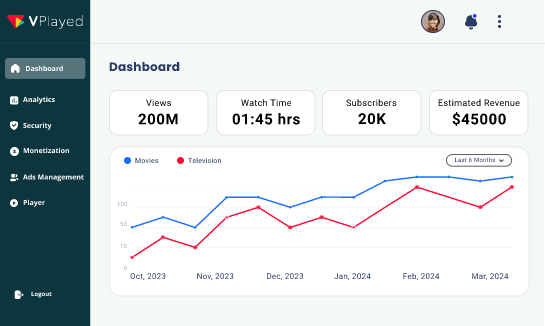
- Actionable Real-Time Analytics: Eliminate operational guesswork through a centralized QoS dashboard. The system monitors accurate audience engagement data, device performance, and real-time CDN loads to make data-backed infrastructure changes as needed.
Are You Interested In Launching Your Own Video Streaming Server?
Conclusion
The global streaming market is expected to hit a home run with $330 billion in expected revenue in the next few years. And that’s why owning everything – from infrastructure to interface – gives you a serious edge as you gain:
- Full control over your content,
- Cut third-party platform fees,
- And safeguard user data.
Furthermore, you can even blend adaptive bitrate streaming and ensure low-latency video streaming playback for any audience size. But yes – Setting up a server from scratch can be heavy on technical work.
If you want to skip the complex setup and create an online TV channel or video platform quickly, partnering with expert providers like VPlayed is the easiest fix.
From having your exclusive white label VOD platform to video CMS, DRM, 10+ video monetization models, real-time analytics, and more – VPlayed empowers you to take that leap of faith faster and with full flexibility.
Whether you are a brand, educator, streamer, or enterprise – This is how you stream, on your own terms, having full control over everything.
- Request Demo Book a Live, Personalized Demo
- Contact Sales Reach Out to Our OTT Experts
Frequently Asked Questions(FAQ):
1. What is the Video Streaming Server?
A video streaming server is a web server that delivers live and on-demand content to user devices with internet. It enables smooth playback of movies, TV shows and live streams through adaptive bitrate streaming.
2. How Does a Video Streaming Server Work?
A video streaming server works by encoding raw video files to reduce its size into suitable formats for online video transmitting, ensuring the video quality remains the same while file size is minimized.
3. Why Do I Need A Streaming Video Server?
A streaming video server allows you to stream videos over the internet, enabling users to watch videos without needing to download them first. It is a great way to provide access to content on any device, at any time, and in any location.
4. How to Setup a Video Streaming Server?
The Step by Step Process to build your own video streaming server are mentioned below:
Step 1: Set Up Your Server Environment
Step 2: Install Streaming Software
Step 3: Enable Transcoding and Bitrate Control
Step 4: Configure a CDN
Step 5: Integrate a Media Player
Step 6: Secure Your Streams with DRM & Encryption
5. How Much Does a Media Streaming Server Cost?
The cost of video streaming server is governed by a number of things, but ultimately, streaming setup will be determined by your individual demands and business streaming goals. Considering streaming server costs, live streaming equipment costs, & professional service charges are the three key elements to consider.
6. What are the Requirements Needed for the Best Video Streaming Server?
The requirement needs for the best media streaming server that has many choices for setting up a secure video server and getting the videos up and running, depending on your business needs. To have exact components for your video streaming business requirements, you can now research various platform providers in the market & choose the individual components required. Some of them like CDN networks, adaptive bitrate protocols, streaming protocols like Apple Fairplay & more.
7. How do I Make a Video Stream Server?
To make a video stream server, begin by defining your requirements. Set up a server, install and configure your streaming software, and establish a Content Delivery Network (CDN). Finally, set up your media player to ensure seamless video streaming. Following these steps will help you create a robust video stream server tailored to your specific business needs.

Senior Analyst specializing in Online video platforms, OTT, VOD, and white label video streaming solutions. Expert in analyzing industry trends, technologies, and monetization strategies to help businesses optimize their streaming services. Passionate about innovation and the evolving digital video landscape.