Summarize this article in:


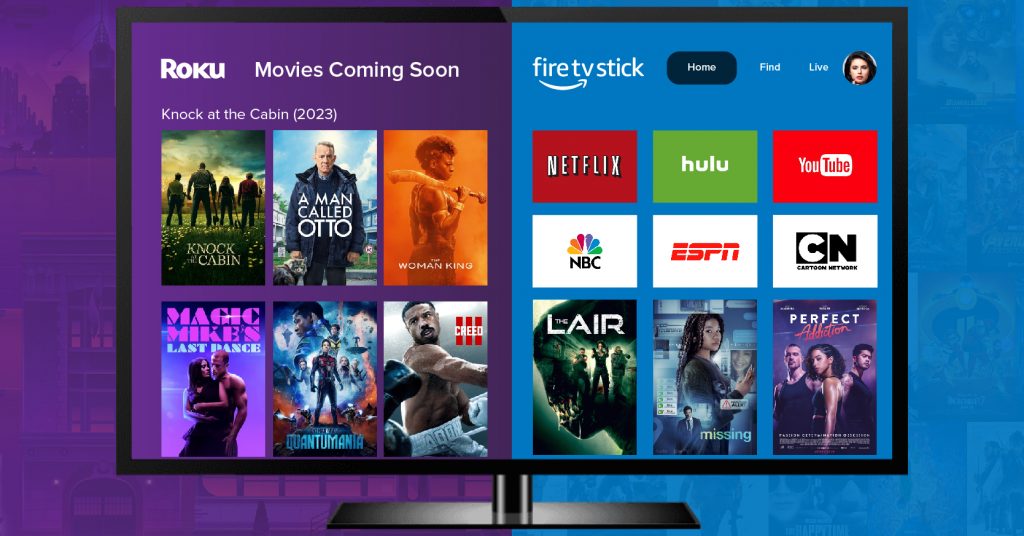
Roku and Fire TV Stick may look so familiar from the outside. Both streaming devices offer access to Netflix, Hulu, Disney+, Prime Video, and countless other video streaming services.
However, their interface design, ecosystem, and other features significantly differ. What truly separates these platforms isn’t just hardware or features, but how content is distributed, discovered, and prioritized within each ecosystem.
These behind-the-scenes decisions directly shape what viewers see on their OTT TV app screens.
This comprehensive blog breaks down technical specs, user experience, and smart home compatibility, while also examining how each platform’s content distribution approach influences the viewing experience and long-term value.
- Fully Customizable
- Lifetime Ownership
- On-Premise/On-Cloud
- 100% White-label
- Zero Revenue Share
- Hire Developers
Streaming Device Basics: Roku vs Fire TV Stick
Roku is a streaming device that transforms normal TVs into intuitive smart TVs, offering accessibility and a range of streaming services. Viewers can stream the latest movies, favorite series, or even live TV.
In fact, there are thousands of titles to choose from, as well as sports, news, kids’ TV, and music channels.
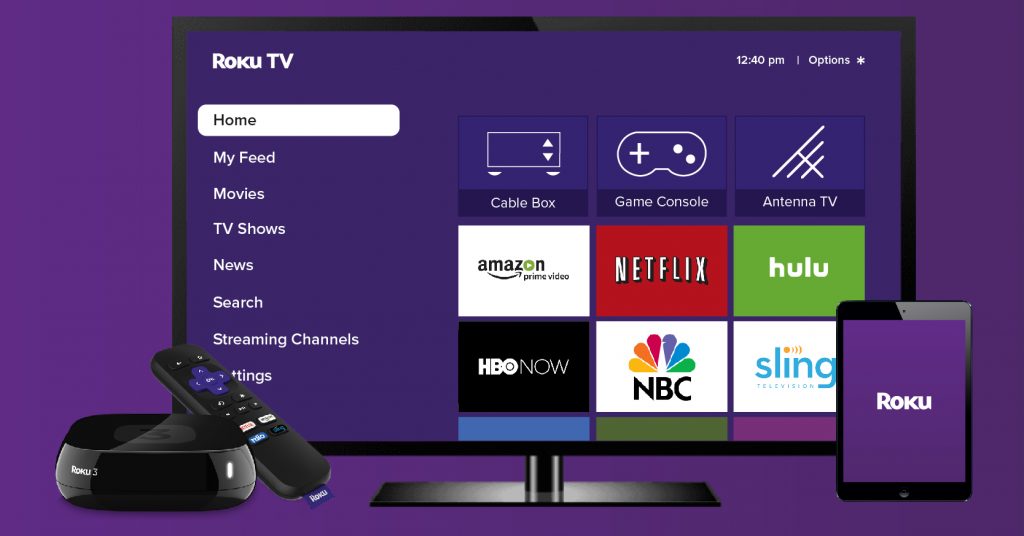
Known for its platform-agnostic approach, Roku devices plug into your TV and connect to the internet. Once you discover your go-to channels and streaming service, you can easily add them to the ‘Home’ screen for easy access.
While Roku prioritizes simplicity and platform neutrality, Amazon’s Fire TV Stick is designed around deeper ecosystem integration.
Amazon Fire Stick is a streaming device that runs on Fire OS to turn any television into a smart TV. This device plugs into the TV’s HDMI port and connects to the Wi-Fi to give access to streaming apps and content.
The difference between Roku and Fire TV Stick largely lies in the Fire TV Stick’s ability to integrate with Amazon’s services. The device runs on Fire OS and is closely tied to Prime Video, Alexa voice control, and Amazon’s smart home features.
Content discovery is heavily voice-led, allowing users to search, launch apps, and control playback using the Alexa-enabled remote.
Pricing & Available Models: Roku vs Fire TV Stick
While evaluating Roku vs Fire TV Stick, price and model options often influence the decision. Both Roku and Amazon Fire TV Stick offer several choices, including:
Roku Express enables streaming in 1080p High Definition, whereas the Roku portable streaming stick can slot straight into the TV’s HDMI port, and is good for simple streaming needs.
On the other hand, Amazon Fire TV Stick 4K 2nd gen supports the major HDR formats and Dolby Atmos for more immersive audio with virtual height channels. Amazon Fire TV Stick HD offers full HD picture quality visuals, although it doesn’t support Dolby Vision or Atmos.
Prices can vary depending on your region and retailer, so it’s a good idea to check the latest pricing before making a purchase.
Roku vs Fire TV Stick: Key Differences
With the fundamentals covered, it’s easier to see where Roku and Fire TV Stick begin to differ in meaningful ways, starting with:
1) Content Discovery & Recommendations
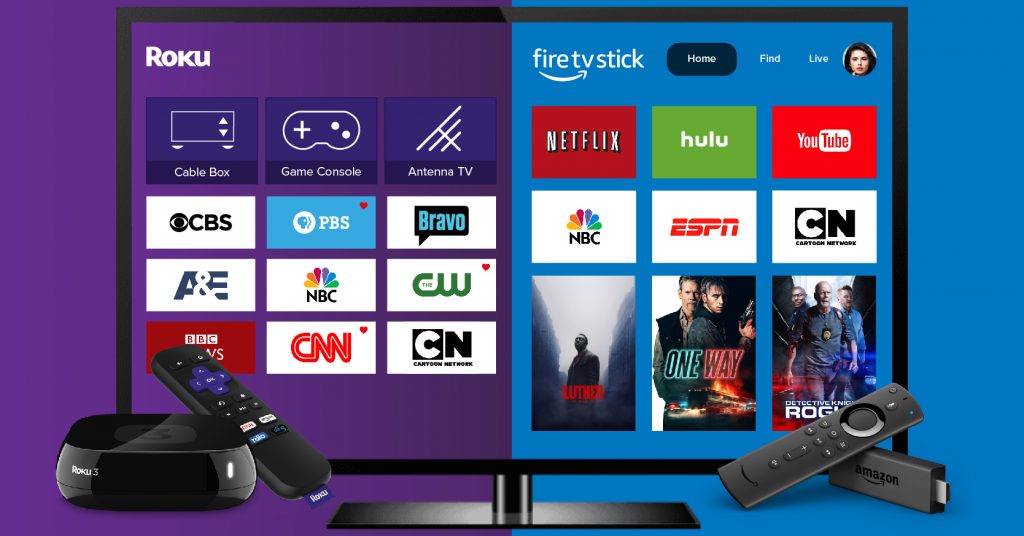
With Roku, content discovery starts with apps rather than recommendations. Users open a specific streaming service (like Disney+) and browse titles within that app.
This approach seems appealing to viewers who already know what they want to watch, as they already have a streaming service and a specific title in mind.
With the Amazon Fire TV, content discovery starts with the home screen, where highlighted movies, TV shows, and personalized recommendations are seen.
This approach seems appealing to viewers who rely on recommendations, as they don’t have any titles in mind or watchlist.
2) Voice Control & Search Behavior
Voice search on Roku feels optional rather than a central feature. Viewers can search for movies, TV shows, actors, or genres using the voice remote, but most interactions still rely on manual browsing.
But, as we all know, voice control is at the center of the streaming experience with the Amazon Fire TV Stick. With built-in Alexa voice control, viewers can search, control playback, and even manage smart, interconnected home devices.
3) Advertising & Promotions
Roku isn’t an extensive ad-supported (AVOD) streaming device. Roku streaming devices boast occasional banner-style promotions or advertisements that don’t interrupt app navigation.
On the other hand, the Amazon Fire TV Stick has ads and sponsored recommendations woven directly into the home screen experience. This means that ads blend into recommendation feeds, which is closely tied to Amazon’s broader business model.
4) Cross-Device Integration
Cross-device integration on Roku is designed to support viewing rather than control it entirely. Some of the common integrations include using Roku mobile app as a remote control and screencasting from phone to the TV.
Amazon Fire TV Stick, however, interconnects all devices with the smart TV as a central hub. Through Alexa, the device links closely with other Amazon and Alexa-enabled products.
If you view your TV as just another screen, Roku’s integration feels sufficient and unobtrusive. If you see your TV as a smart home control point, Fire TV Stick offers deeper value.
5) Updates & Platform Support
Roku is known for offering regular software updates across most of its devices, including older models. Because Roku uses the same Roku OS across its product lineup, updates tend to roll out evenly and predictably.
Amazon Fire TV Stick also receives regular updates, but support can vary noticeably between models. Newer Fire TV devices typically receive updates faster and gain access to newer features sooner.
Roku devices often feel consistent for years, even without hardware upgrades. Fire TV Stick devices benefit from newer hardware, but older models may feel dated sooner.


The Logic Behind Content Distribution on Roku and Fire TV
Many of the differences between Roku and Fire TV Stick come down to how each platform decides what content gets visibility. Let’s start with:
What Content Distribution Means for Viewers
Content distribution isn’t how shows are made or uploaded. It is more about how content is presented to viewers once it reaches TV.
For viewers, this influences how quickly they find a title to watch, whether recommendations feel helpful, and how much control they have over navigation.
Understanding content distribution helps you understand why each platform takes the approach they normally do.
1) Roku’s Channel-First Approach
Roku leads viewers to the apps first, and lets them stream content from there. Roku’s Home screen is centred around installing streaming apps, as each smart TV app gets equal visibility. Content discovery largely happens inside individual streaming services.
For content owners to get visibility on Roku, they must focus more on app design, clear navigation, and in-app content organization. They also get more control over content presentation, along with a predictable distribution environment. Roku is ideal for media companies that value control over algorithm-driven discovery.
2) Fire TV Stick’s Ecosystem-Led Approach
At its core, Amazon Fire TV approaches content distribution differently from Roku. Instead of treating apps as entry points, Fire TV actively surfaces and promotes titles across the platform.
Fire TV Stick promotes individual movies and TV shows, in the form of ‘What’s trending’ or ‘Sponsored’ Titles. This means content discovery happens even before a user opens the specific app. Moreover, content visibility is directly tied to metadata (titles, genres, descriptions), which keeps the video CMS in the scheme of things.
Content distribution on Fire TV revolves around Prime Video integration, Amazon audience targeting, and cross-promotion with Amazon services. This invariably benefits large media companies and enterprises with extensive catalogs, as they can optimize their titles woven around Amazon’s broader ecosystem.
Unlike Roku’s predictable app-first approach, Fire TV’s model introduces variability in how and when content is surfaced. Visibility depends on platform-driven factors and may fluctuate over time.
Roku vs Fire TV Stick: Which One Should You Choose?
Choosing between Roku and Amazon Fire TV Stick ultimately depends on how you prefer to discover and consume content, rather than on hardware specifications.
Choose Roku if you:
Want a simple, app-first streaming experience
- Have multiple streaming app subscriptions and want neutral access to ‘em.
- Like exploring multiple titles within apps to decide a final title (movies, TV show, or an original).
- Prefer consistent interface over time.
Choose Fire TV Stick if you:
- Rely heavily on voice search and hands-free navigation.
- Rely on recommendations and suggestions.
- Already use Amazon Prime Video or Alexa-enabled devices.
- Prefer a content-forward experience, right from the Home screen.
A Quick Note for Content Owners & Broadcasters:
Platform design choices often have ripple effects across the entire streaming value chain. For streaming services and broadcasters, this affects visibility, discovery, and long-term distribution strategies.
In practice, the choice between Roku and Fire TV often comes down to whether a platform favors control and predictability or reach and platform-led promotion when shaping content distribution.
Wrapping Up
Roku and Fire TV Stick may appear to offer the same promise: easy access to popular streaming apps and on-demand entertainment.
For viewers, this comes down to preference. Roku offers a neutral, app-first experience that puts control firmly in the user’s hands. Fire TV Stick, on the other hand, takes a more guided approach, with recommendations, voice search, and ecosystem integration.
Neither approach is inherently better; they simply reflect different ways of discovering what to watch.
For streaming platforms, broadcasters, and media companies, the same design choices influence how content is distributed, discovered, and sustained over time.
Platform neutrality favors predictability and app-level control, while ecosystem-led distribution prioritizes reach and platform-driven visibility.
Understanding these distinctions makes it easier to choose the platform that aligns with your viewing habits or distribution strategy.
- Request Demo Book a Live, Personalized Demo
- Contact Sales Reach Out to Our OTT Experts
Frequently Asked Questions(FAQ)
1. What are the differences between Roku and Fire stick?
Undoubtedly, there are discernible disparities between Roku and Fire sticks, both esteemed streaming gadgets. Roku shines with its extensive channel repertoire and platform neutrality, while Fire Stick embeds deeply within Amazon’s ecosystem, furnishing Alexa voice command. Roku embraces a more open-minded approach, whereas Fire TV orbits around Amazon’s universe.
2. What are the benefits of launching a Roku TV app for smart TV?
Launching a Roku TV app for smart TVs unfolds a myriad of advantages. This endeavor grants access to Roku’s sprawling user base, enabling diverse monetization avenues. Moreover, it facilitates broader user outreach, culminating in heightened visibility, elevated user interaction, and a surge in revenue.
3. What are the benefits of launching an Amazon Fire stick app for smart TV?
Launching an Amazon Fire stick app for smart TVs harbors several perks. Primarily, it avails access to a vast audience within Amazon’s domain. Integration with Alexa voice command enhances user engagement, while varied monetization methods offer income generation opportunities, thus fortifying the app’s overall success.
4. Can I install third-party apps on Roku TV?
Certainly, third-party apps can be installed on Roku TV. Although the official channel store houses a plethora of endorsed apps, supplementing your content repertoire is feasible by incorporating private channels. Nonetheless, caution is advised as private channels may lack the rigorous screening of official ones, warranting exclusive installation from reputable sources.
5. Can I install third-party apps on Amazon Fire TV?
Absolutely, Amazon Fire TV extends the flexibility to install third-party apps, a process colloquially known as sideloading. However, exercising vigilance is imperative as sideloaded apps may bypass stringent scrutiny, compromising device integrity. To safeguard device security and functionality, adhering to trusted sources for app installation is highly recommended.

Blogger & OTT Expert at VPlayed. Interested in digging deep into video streaming media tools, blog, discuss and share views on the legal OTT solution' & latest technologies tips, and tricks. Also passionate about photography loves to capture the pure essence of life.

![13 Best Enterprise Video Hosting Platforms For Businesses [Free + Paid]](https://www.vplayed.com/blog/wp-content/uploads/2024/01/video-hosting-platforms-300x157.webp)