Summarize this article in:


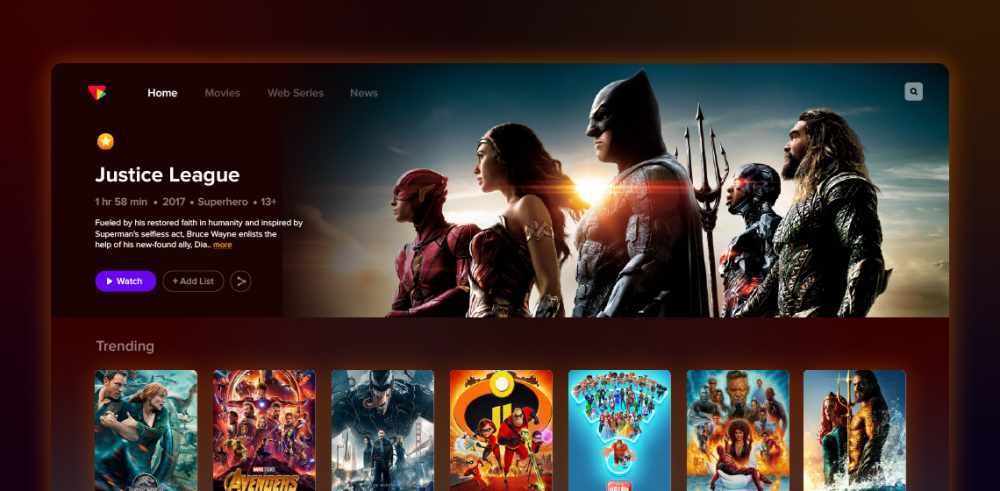
Here is a quick overview of how to create your own OTT platform:
- Niche & Goals: Determine your unique niche, analyze competition, understand gaps, and set your desired subscriber or viewer reach goals.
- Platform & Monetization: Choose an OTT provider that offers source code ownership and customization options and decide on the SVOD, AVOD, TVOD, or hybrid monetization framework that fits your viewer preferences.
- Content & Security: Acquire content, licensed or original, that you can protect with MultiDRM and AES encryption and geo-block.
- Tech & Multi-Device Deployment: Build UI and UX across web, mobile, and Smart TVs. Use a global CDN to support Adaptive Bitrate playback.
- Launch & Growth: Perform pre-launch quality assurance, and manage post-launch growth via viewer acquisition, targeted push notifications, and analytics.
Creating an OTT platform gives business owners access to one of the fastest-growing segments of the digital entertainment economy.
OTT statistics reveal that in 2024, the OTT industry was valued at $280 billion and is expected to reach $1.35 trillion by 2033; there has never been a better time to enter this field.
Whether you are a creator or a media business, when you prepare to start an OTT platform, the biggest hurdle is the build vs. buy dilemma. SaaS solutions do seem convenient but offer very little customization and no ownership. Whereas creating your own OTT platform from scratch is time-consuming and complex.
Fortunately, there is a middle-ground solution that offers a pre-built and fully customizable OTT platform that allows you to start an OTT business with 100% ownership and rapid deployment.
In this guide, we will take you through each and every fundamental step required to create OTT platform experiences that succeed.
- Fully Customizable
- Lifetime Ownership
- On-Premise/On-Cloud
- 100% White-label
- Zero Revenue Share
- Hire Developers
9 Steps to Create an OTT Platform: Complete Guide & Workflow
Building an OTT platform in modern times demands strategic and technical decisions to be made in precise order. The 9 steps below serve as an executable blueprint to take your video streaming service from concept to global scale.
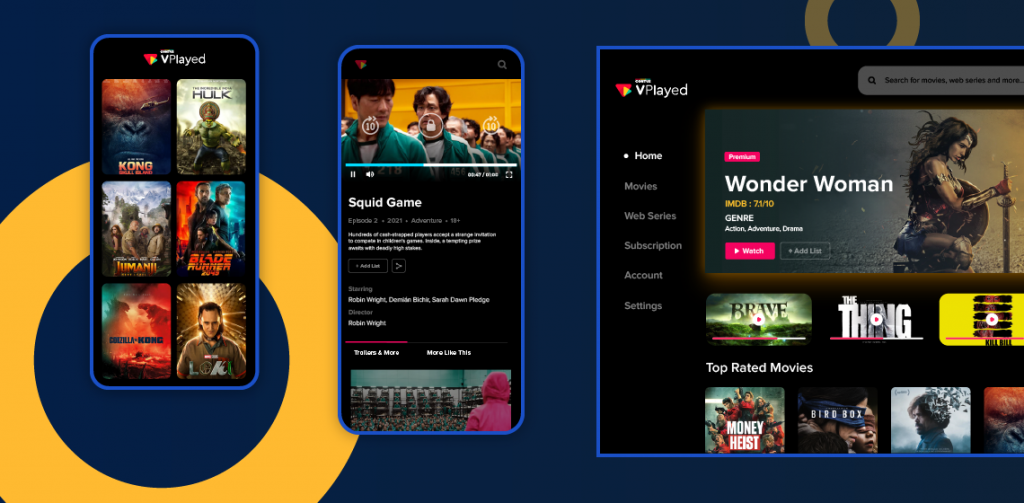
✅Step 1: Define Your OTT Objectives & Identify Your Niche
Before you start video streaming development, check your market demand and define your business objectives. Targeting a niche is what makes your platform stand out from others and increases retention.
- Examine Competitors & Market Gaps: Evaluate existing OTT streaming services for their strengths and weaknesses, such as UX, navigation, and buffering rates.
- Research Target Audience Demographics: Collect information on audience age, geographic location, smart TVs vs mobile devices, and content consumption patterns.
- Target Underserved Verticals: Target high-intention audiences with niche content like eSports streaming, eLearning, and niche fitness.
Make a realistic goal that uses numbers, such as getting 1,000 subscribers within 60 days, instead of vague targets. Your first technical setup and monetization priorities are shaped by clear metrics.
✅ Step 2: Choose an OTT Software
List out your core content type (live, VOD, or both) and target device mix (mobile, web, TV). Use that to narrow down to a list of OTT development companies providing a white label streaming platform. Read out their case studies and timeframe commitments. Inquire whether they offer full source code access and support.
When comparing pricing plans, prioritize one-time licensing over recurring revenue-share models. One-time licensing gives you full IP ownership, predictable costs, and no per-user fees.
Deliverables: A clean comparison of each vendor’s services and their pricing structure
Ensure that you go with OTT platform providers that allow access to source code; otherwise, you will fall into a vendor lock-in position. If you wish to add any advanced customization later, you can easily hire OTT developers to do it.
✅ Step 3: Decide on Your Monetization Model
Selecting the correct video monetization strategy is essential when you create OTT platform business plans. Match your content delivery model to viewer consumption to maximize revenues:
| Monetization Model | How It Works | Key Advantage | Who Is It For? |
| Subscription VOD (SVOD) | Users pay a recurring fee for access to a content library for a given time period | Predictable, recurring revenue, high customer lifetime value | Large libraries, original series, ongoing educational/fitness content |
| Advertising VOD (AVOD) | Content offered for free with a pre-roll, mid-roll, or post-roll advertisement. | Eliminates friction to improve top-of-funnel traffic and viewer acquisition | High volume media streams, news, UGC, and viral video streams |
| Transactional VOD (TVOD) / Pay-Per-View | Users pay a one-time fee to watch a title or live event of their choice. | Earns immediate revenue per user at a high volume with no commitment | Live sporting events, concerts, theatrical releases, and master classes |
| Hybrid Monetization | Integrates the SVOD / AVOD / Pay-per-view models in a tiered pricing structure. | Revenue diversification focused on budget and value-oriented viewers | Offered by streaming services, sports networks, and growing media brands |
Deliverables
Tiered SVOD pricing structure, integrated payment processors, ad inventory setup for AVOD.
The best way to do this is to implement a hybrid monetization model, combining ads and subscribers to attract users and convert loyal ones into subscribers.
✅ Step 4: Content Acquisition & Licensing
To start an OTT platform that is high-converting requires balancing exclusive original content with strategically acquired licensed shows. Providing multiple types of content, including on-demand video, OTT live streaming, and user-generated content, addresses audiences’ pain points and helps retain them.
- Produce Original Content: Create original production, or use your unique professional experience to create unique media that sets your brand apart.
- Acquire Content Licenses: Have strategic distribution rights for popular movies and shows to get your library built up fast, with more audience demographics.
- Manage Content Rights & Royalties: Include Digital Rights Management (DRM) to prevent unauthorized access and content piracy and establish precise Royalty Terms to prevent legal issues.
Deliverables: Wireframes, screen mockups that describe the data flow from front-end to back-end.
Set up non-exclusive licensing windows early to scale your library at an affordable rate. Combine with exclusive originals behind your top tier to gain instant conversions and reduce the cost of acquiring subscribers.


✅ Step 5: UX, UI, and Platform Architecture Design
The objective is to provide a seamless experience with a user-friendly navigation to find content easily and to drive engagement and retention. The platform should look polished and feature-rich, giving viewers the confidence to explore more content.
To create OTT platform interfaces that achieve a smooth flow between pages, intuitive layouts and search filters must be carefully designed. Once the UI/UX planning is done, make sure your OTT platform provider has the architectural framework to deliver the viewer’s favorite shows in 3 clicks or less.
Deliverables: Wireframes, screen mockups that describe the data flow from front-end to back-end.
Content-first UI grid should be given much priority to keep your trending content and personalized recommendations above the fold. This keeps your viewers engaged and prevents them from endlessly scrolling. Navigation consistency is equally important, as viewers wouldn’t like to relearn the interface when switching devices.
✅ Step 6: Core Features Deployment
To launch enterprise-reliability OTT platform operations, core features are deployed to enable the technical backbone necessary for OTT platform operations. This phase combines the centralized video CMS, cloud storage origin, customizable HTML5 video player, and a global video CDN network.
- Advanced Media Pipeline: Sets up automatic video transcoding, adaptive bitrate streaming, or scheduled 24/7 linear channel playout for buffer-free playback under changing network conditions.
- User Management & Monetization: Supports secure authentication, watch history, multi-screen syncing, and subscription billing engines.
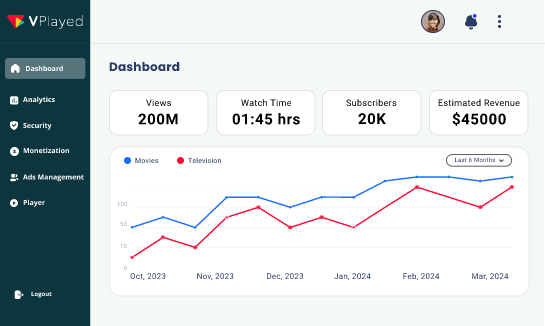
- Administrative Control & Protection: Establishes real-time analytics dashboards in addition to multi-DRM and geo-blocking security levels.
Deliverables: Include an operational stage environment, feature documentation, and live management dashboards.
Make sure your video player supports offline downloads and Server-Side Ad Insertion (SSAI) right from the start. By implementing SSAI, you will be able to shield your ad revenue in mobile apps and Smart TV apps from ad blockers.
✅ Step 7: Security and Compliance Integration
Implementing end-to-end security shouldn’t be considered the last step in creating an OTT platform. It is as crucial as other fundamental steps to stop digital breaches like unauthorized access, credential sharing, and digital piracy.
- Multi-DRM & Encryption: Secure video stream with studio-approved Digital Rights Management (Google Widevine, Apple Fairplay) and AES-128 encryption and SSL protection.
- Access & Regional Controls: Geo-blocking, IP restrictions, dynamic watermarking, and concurrent stream limit enforcement.
- Payment Security: Add a tokenized payment gateway with high security standards and adhere to PCI-DSS compliance to ensure safe payments from users.
Deliverables: Include a PCI-DSS-compliant payment processing solution, a checklist of security requirements, and automated fraud detection solutions.
Do not patch security after deployment. Implement Multi-DRM policies and tokenized authentication on a timely basis during pre-development to safeguard IP rights from the start.
✅ Step 8: Create OTT Platform For Multi-Device Access
In order to be successful in creating OTT platform experiences across screens, there has to be a good level of device compatibility. It guarantees a seamless experience for users, regardless of the location. To deploy faster across devices, you can create native apps for each operating system or use cross-platform tools, such as React Native.
- Mobile Apps: Build customized native or hybrid apps for Android and iOS mobile platforms.
- Smart TVs & Devices: Allow streaming on Roku, Apple TV, Amazon Fire Stick, and Samsung Smart TVs.
- Progressive Web Apps (PWAs): Provide app-like functionality with mobile browsers – no app store downloads.
If you’re looking to cross-platform, you should go for React Native to launch on mobile and Smart TVs at the same time. This not only reduces initial development expenses, but quadruples your user base at no additional cost.
✅ Step 9: Launch OTT Platform & Plan Viewer Acquisition
Prior to going live with the OTT platform, your OTT platform provider will perform extensive load testing, cross-device testing, and quality assurance (QA) testing to ensure high CDN capacity, cross-device stability, and smooth video delivery.
Home pages and CTA buttons are made more effective to turn initial traffic into new user sign-ups. After going live, concentrate on long-term OTT marketing with a conversion-focused OTT app marketing funnel to generate new viewers.
- Initial Social Media Buzz: Use short-form content and highlights to gain initial traction on key platforms (Instagram, YouTube, X) and generate interest in your target audience.
- Email & Push Notifications: Send customized emails and push notifications to inform about content updates, new releases, and exclusive content.
- Strategic Partnerships: Tap into creator partnerships, cross-promotion, and sponsored advertising in a strategic manner to gradually broaden your market reach.
- Retention & Community Growth: Enhance retention through customized recommendations, live events, interactive elements, and content optimization based on data analysis.
Choose an OTT provider that provides post-launch monitoring options so that they can monitor real-time playback performance, payment success rates, and real-time user onboarding. If you’re able to solve the initial bugs quickly, you’ll get high engagement rates, and people will remember the positive experience.
Must-Have Features for a Modern OTT Platform
When you design and create OTT platform infrastructure, it involves six fundamental functional layers. These layers help achieve video processing, subscriber management, and seamless playback across devices. Here is a deeper look.
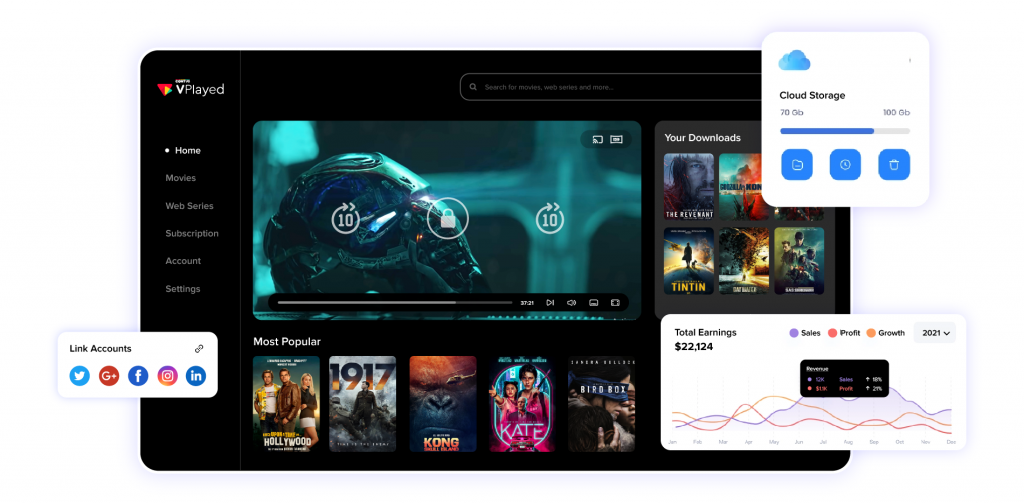
1. Content Layer
- Centralized CMS: Supports video uploads, episode structures, season tagging, and multilingual asset organization from a single interface.
- Metadata Management: Adds in-depth metadata tags, actor information, genres, custom tags, thumbnails, and descriptions for site-wide search performance and easy content discovery.
- Catalog & Playlists: Structures assets into collections and custom user playlists, as well as trending carousels, to boost engagement on the platform.
- Content Metrics: Measures the individual performance of content assets, completion rates, and popularity trends directly in the media management console.
2. Video Processing Layer
Raw video files are too large to be directly web-distributed. The Processing layer is responsible for converting the raw files into a format suitable for easy transfer between different screens and different internet speeds.
- Video Ingestion: Securely ingests high-resolution master files without loss of source quality through secure bulk ingestion.
- Encoding & Transcoding: Transcode master video files to multiple resolution profiles (4K, 1080p, 720p) and current codecs (H.264, HEVC, AV1).
- Dynamic Packaging: Encode chunks in real-time to common video streaming formats such as HLS and MPEG-DASH, ensuring a wide range of device support.
3. Delivery Layer
The delivery layer delivers processed video chunks to the end-user device with minimal delay and buffering from cloud storage.
- Origin Storage: Scalable and highly durable, cloud storage for video primary master files and packaged chunks.
- Content Delivery Network (CDN): Stores video content on edge servers all over the world, ensuring high-speed delivery and low latency wherever it is accessed.
- Adaptive Bitrate Streaming (ABR): Dynamically determines the actual bandwidth of the viewer and adjusts the quality streams accordingly, allowing viewers to watch movies without interruption.
- Custom HTML5 Player: Provides smooth, responsive video streaming with multiple audio tracks, closed subtitle support, and custom UI branding that works in browsers and native applications.
4. Business Layer
The business layer supports user account management, access rules, and automated payment processing across all video monetization models.
- User Authentication: Provides secure user registration, social logins, Single Sign-On (SSO), and multi-device session management.
- Subscription Management: Automates ongoing billing, trial periods, plan upgrades/downgrades, and dunning management on all tiers of SVOD.
- Payment Gateways: Supports all international, regional, and multi-currency payment methods, such as credit cards, digital wallets, and in-app purchases (Apple IAP, Google Play Billing).
5. Protection Layer
The security layer helps protect high-value assets, such as their content, from unauthorized access, content theft, and digital piracy.
- Multi-DRM Integration: Studio-grade DRM standards for protecting high-value content (Google Widevine, Apple FairPlay, Microsoft PlayReady).
- AES-128 Encryption: Encrypts video streams end-to-end, preventing unauthorized interception or stream ripping during transmission.
- Geo-Blocking: Access to certain geographic regions is blocked by IP address to meet regional licensing requirements.
- Dynamic Watermarking: Adds viewer-specific IDs to video playback for visible or forensic identification of screen recording leaks.
6. Data Layer
The data layer gathers playback telemetry and user interaction signals for improved system performance and increased user retention.
- Real-time Analytics: Tracks active streaming sessions, network performance metrics, buffer ratios, and server health.
- Viewer Behavior Insights: Monitors watch time, drop-off rates, device preferences, and search terms to gain insights into viewer behaviors.
- AI Recommendation Engine: Leverages viewers’ past viewing patterns to provide personalized recommendations, which helps to boost total watch time and lower churn.
How Much Does It Cost to Create an OTT Platform?
The cost to create an OTT platform ranges between $25,000 and $600,000+. The overall price to develop an OTT platform relies on the objectives you have for deployment, technical customizations needed, multi-device app support, and the scale of the streaming infrastructure.
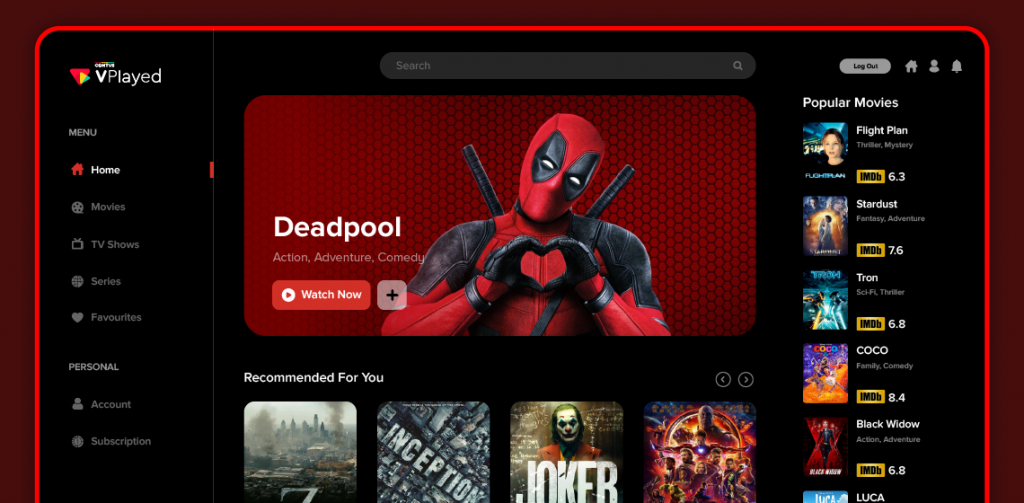
OTT Development Cost by Build Model
| Development Model | Estimated Cost | Deployment Timeline | Target Business Fit | Source Code Ownership |
| Build from Scratch | $80,000 – $500,000+ | 6 – 12+ Months | Enterprises requiring 100% custom architecture | Yes (Internal IP) |
| SaaP / Self-Hosted (VPlayed) | $30,000 – $50,000+ | 2 Days – 4 Weeks | Businesses in need of a white-label OTT solution with one-time license & full source code | Yes (100% IP Ownership) |
| SaaS OTT Subscription | $500 – $5,000 / month | 1 – 3 Weeks | Early-stage startups testing market viability | No (Third-party hosted) |
Why VPlayed is a preferred choice for OTT Development?
Designing an OTT solution involves more than building a product. It means creating a solution to meet your business’s long-term needs. Many SaaS OTT services make you either pay ongoing subscriptions or take a cut of the profits. Unlike them, VPlayed provides you with the source code for a one-time license.
- Easy-to-Brand Platform: VPlayed provides you with full white label control; this means you decide the user interface design, the features, and the workflow navigation. You can change it all to reinforce your brand identity.
- Cost-Efficient One-Time Licensing: You can stop paying recurring fees and stop sharing your profits if you choose to license VPlayed. This improves your profit margins.
- Enterprise-Ready & Scalable Architecture: VPlayed is built on a microservices architecture that supports 200+ integrations across all devices and expands globally.
- Flexible Cloud & On-Premises Hosting: You have the flexibility to host your media assets on your own private servers or even on-site, based on your data security and compliance needs.
- Proven Business Impact: Brands like Practyce have achieved user engagement scaling 3X to 100k+ users, while a Brazilian fitness company experienced a 30% increase in revenue after moving away from recurring-fee SaaS solutions.
Conclusion
Creating an OTT platform involves establishing your OTT goals, designing the architecture, selecting an appropriate monetization strategy, and putting proper security measures in place before you roll it out on various devices.
The development of a successful OTT platform does not mean that you have to overstress development or drain your pockets. By breaking development into separate phases, you can successfully validate your business idea and mitigate the financial expenditures due to over-engineering your business model.
Whether you’re starting a niche streaming service or a global media network, VPlayed gives you complete source code ownership and no revenue sharing. It offers a pre-built and customizable OTT platform that drives viewer growth from launch to scale.
- Request Demo Book a Live, Personalized Demo
- Contact Sales Reach Out to Our OTT Experts
How to Create OTT Platform (FAQ)
1. What is an OTT Platform?
An OTT platform is an internet-based streaming service that delivers video content directly to viewers across devices like smart TVs, mobiles, and laptops without cable providers. Popular OTT platforms include Netflix, Disney+, and Hulu.
2. Why You Should Invest In An OTT Business?
If you’re thinking about why and how to start your own OTT platform, the important aspect of having access to streaming data and the necessary infrastructure is crucial. This is due to the fact that customers now spend more time than ever before watching video content on their mobile devices. By investing in OTT services, you can take advantage of chances that pay TV can’t provide & directly contact your target audience.
3. What Are The Methods To Create An OTT Platform?
Before you could get into the process of OTT platform development, you should know a bit about the must-haves for any over-the-top based business. Some of the main elements that go into creating your own OTT platform are: complete customization, multi-supportive adaptive video player, access to robust CDN, easy-to-use CMS, branded UI & website, secure payment processing, analytical video metrics, and more.
4. How Much Does It Cost To Start An OTT Platform?
Starting an OTT platform costs $500/month (SaaS) to $500,000+ (custom build), with white-label options at $10K–$100K. Solutions like VPlayed ($35K–$50K) offer a balanced approach, combining customization, faster launch, no recurring fees, and full control over your platform.
5. How To Generate Revenue From Your OTT Platform?
Accelerate your streaming revenue potential by utilizing the top-most monetization lucrative opportunities offered in the industry. VPlayed lets you have them with a flexible solution that can be tailored to your business niches & audiences. Some of them are Subscription-based (SVOD), Transactional-based (TVOD), or Advertising-based (AVOD). Other than that, you can explore options like Catch Up TV, Coupons & Promotions, Hybrid model, & more.
6. What Are The Opportunities And Challenges For Starting An OTT Platform?
The OTT entertainment industry has now a plethora of opportunities with the increasing demand for subscription services. Services like Disney+, Amazon Prime, Hulu, Peacock have been drawing enormous revenue upscale, with their creative streaming platform. One who is looking to build video infrastructure needs to know that high-end technologies necessitates investing hugely. Also, platforms need to compulsorily enable seamless content delivery to maintain their ever-growing subscriber base.
7. Which Is The Right Time To Launch An OTT Platform?
As we come to know that OTT solution are leveling the playing field for independent creators you can actively look into the process of how to create and own one for yourself. Some of the key factors to consider will count with an established audience set to target, regular content addition that can help to sell others existing in the archive transactionally, unique content with a niche following, long-term & making a consistent content publishing calendar.
8. How Long does it Take to Create an OTT Platform?
Creating an OTT platform usually takes 8 to 16 weeks, depending on the feature complexity, integrations, and testing phases. White-label solutions like VPlayed let you launch a fully branded OTT platform in as little as 2 days.

Blogger & OTT Expert at VPlayed. Interested in digging deep into video streaming media tools, blog, discuss and share views on the legal OTT solution' & latest technologies tips, and tricks. Also passionate about photography loves to capture the pure essence of life.